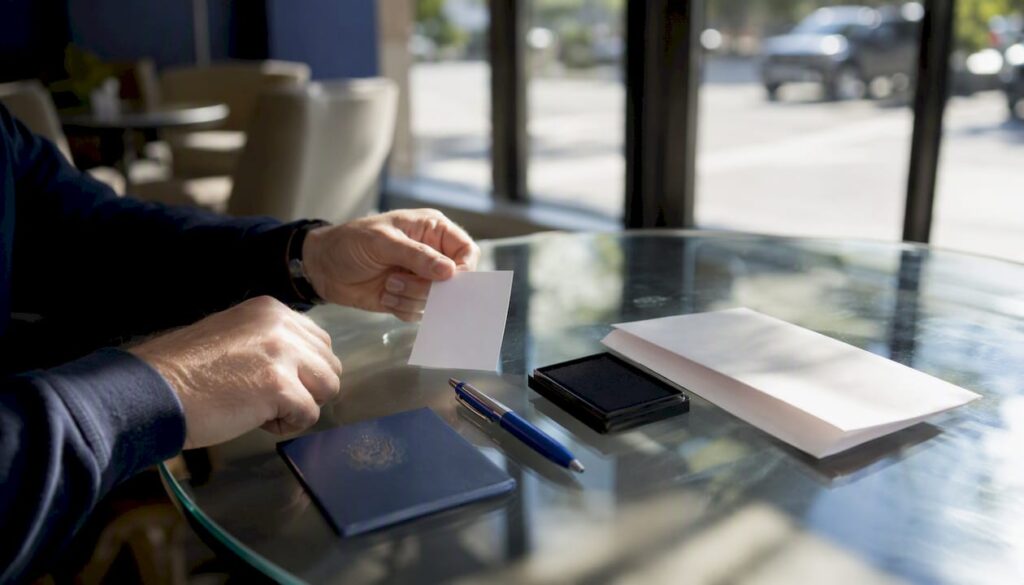
Form DS-82 is the U.S. Department of State’s official application for passport renewal by mail or online — and it’s the form most adult Americans will use when their passport expires. You can use it only if you meet all of these conditions:
- Your passport was issued when you were of age to renew by mail
- It was issued recently enough to qualify for mail renewal
- It is issued in your current name, or you include a certified legal name-change document
- The passport is undamaged and has not been reported lost or stolen
- You are able to sign the form in ink
Meet all five? You’re eligible. Fill out DS-82 using the State Department’s online Form Filler or download the PDF, attach your documents, and mail it in. Miss even one condition and you must use Form DS-11 and apply in person at an acceptance facility or passport agency.
Pro Tip: Check your passport’s issue date and the name printed on it before you do anything else. Those two details determine everything about which form you use.
Key Takeaways
Form DS-82 is the correct renewal form for eligible U.S. adult passport holders, but eligibility depends on five specific conditions, and the submission method you choose should match your travel timeline.
| Point | Details |
|---|---|
| DS-82 eligibility | Your passport must have been issued at age 16+, within the last 15 years, and in your current name. |
| Top document rules | Print single-sided, sign in ink after printing, and attach a 2×2 photo with a plain background. |
| Name-change requirement | A certified copy of your marriage certificate, divorce decree, or court order is required if your name has changed. |
| Submission method | Use the State Department’s online Form Filler for fewer errors; download the PDF only as a backup. |
| Fast Passport Center | For travel within 2–4 weeks, Fast Passport Center hand-delivers applications to passport agencies with real-time tracking. |
Table of Contents
- Who qualifies to use DS-82 for passport renewal?
- How to fill out Form DS-82 correctly, field by field
- What to attach to your DS-82 application
- How to submit DS-82: printing rules, mailing addresses, and the online option
- Fees, processing times, and tracking your application
- Common DS-82 mistakes that delay or invalidate your renewal
- Online Form Filler vs. the PDF download: which path is right for you?
- When DS-82 doesn’t apply and what to do instead
- How to get your passport faster: expedited mail, agency appointments, and couriers
- What real DS-82 cases look like from the inside
- Fast Passport Center handles DS-82 renewals when your timeline is tight
- Official pages and forms to bookmark
- Sources
- FAQ
Who qualifies to use DS-82 for passport renewal?
The official DS-82 PDF opens with Section A, a short eligibility checklist that every applicant must confirm before proceeding. In plain terms, the requirements are:
- Age at issuance: Your current passport was issued on or after your 16th birthday. Passports issued to minors under 16 are not eligible for DS-82 renewal, regardless of how recently they were issued.
- Issuance window: The passport was issued within the past 15 years. A passport issued 16 years ago requires an in-person application even if it looks pristine.
- Name match: The name on your passport matches your current legal name, or you can provide a certified copy of a legal name-change document (marriage certificate, divorce decree, or court order).
- Condition: The passport is undamaged and has not been reported lost or stolen. A water-damaged, torn, or previously reported passport disqualifies you from DS-82.
- Signature capability: You can sign the form yourself in ink.
A few edge cases deserve attention. If you changed your name after marriage and your passport still shows your maiden name, you can still use DS-82 as long as you include the certified marriage certificate. Without that document, you must apply in person with DS-11. Similarly, if your passport was issued when you were 15 and is now 12 years old, it still fails the age-at-issuance test — DS-82 is not an option.
Pro Tip: Pull your current passport and confirm both the issue date and the name printed inside before starting the form. Discovering a mismatch after you’ve already printed and signed DS-82 costs you time and paper.
How to fill out Form DS-82 correctly, field by field
The State Department strongly recommends using the online Form Filler rather than handwriting a blank PDF. The Form Filler validates entries as you type, flags formatting problems, and produces a clean printed output. If you choose to print the blank PDF instead, set your printer to single-sided output before you begin — double-sided printing is one of the most common rejection causes.
Key fields and how to complete them:
- Name: Enter your current legal name exactly as it appears on your government-issued ID, not the name on your expiring passport. If those differ, attach your name-change document.
- Date of birth: Use MM/DD/YYYY format. The Form Filler enforces this automatically; on a handwritten form, write clearly and avoid ambiguous day/month transpositions.
- Social Security number: You are required to provide your SSN. If you have never been issued one, enter all zeros and sign the statement in Section C confirming that fact.
- Sex marker: Select the marker that matches your current legal identity documents.
- Place of birth: Enter the city and state (or city and country if born abroad) as it appears on your birth certificate.
- Other names used: List any name you have used on a previous U.S. passport or on a legal document. This includes maiden names and names from prior marriages.
- Large-book option: Check this box if you travel frequently and anticipate needing more visa pages. The large passport book contains 52 pages versus the standard 28. There is no additional fee for the larger book.
- Signature and date: Sign in ink only after printing. Never sign the form before printing, and never sign digitally. Date the form on the same day you sign it.
Pro Tip: Use the Form Filler on a desktop or laptop, not a phone. The form fields are easier to navigate on a larger screen, and you’re less likely to accidentally skip a required field.
What to attach to your DS-82 application
Getting the attachments right is where most applications run into trouble. The DS-82 instructions in Section D are specific, and the State Department will return an incomplete package without processing it.
Required attachments:
- Passport photo: One 2×2 inch color photo taken within the last six months. The photo must show a plain white or off-white background, a neutral expression, and your full face. Your head must be within the size range required by the State Department from chin to crown. Glasses are not permitted unless you have a medical waiver on file with the State Department.
- Your most recently issued passport: Submit the actual passport book and/or card. The State Department will return it to you, though the old passport might arrive separately from your new one.
- Name-change documentation: If your current legal name differs from the name on your passport, include a certified copy of the legal document that establishes the change — a marriage certificate, divorce decree, or court order. Photocopies are not accepted; the document must be a certified copy issued by the relevant authority.
A few important formatting rules for your package:
- Print DS-82 single-sided. Do not include the instruction pages in your mailing.
- Do not staple your photo to the form. The State Department’s instructions call for the photo to be attached separately.
- Do not laminate or use protective sleeves on documents you are submitting. They complicate processing.
For a full document checklist, the passport renewal documents guide covers every supporting item in detail.
When a name change is involved, certified documentation requirements can be complex — particularly for applicants who have changed their name multiple times or whose records span multiple jurisdictions. The marriage registration tools guide for expats offers useful context on obtaining certified copies of marriage records for U.S. passport purposes.
How to submit DS-82: printing rules, mailing addresses, and the online option
The State Department gives you two paths: use the online Form Filler to generate a completed form you then print and sign, or download the blank DS-82 PDF and fill it by hand or with a PDF editor. Either way, the physical submission process is the same.
Printing and signing rules:
- Print on one side of the paper only. This is a hard requirement, not a preference.
- Sign and date the form in blue or black ink after printing. A pre-signed form is grounds for rejection.
- Do not submit the instruction pages. Mail only the completed application page(s), your photo, your passport, and any supporting documents.
Mailing addresses: The DS-82 instructions include geographically routed PO Box addresses for routine service. Your state of residence determines which address to use. For expedited service, a separate address applies. Always verify the current addresses on the DS-82 PDF instructions before mailing, as routing can change.
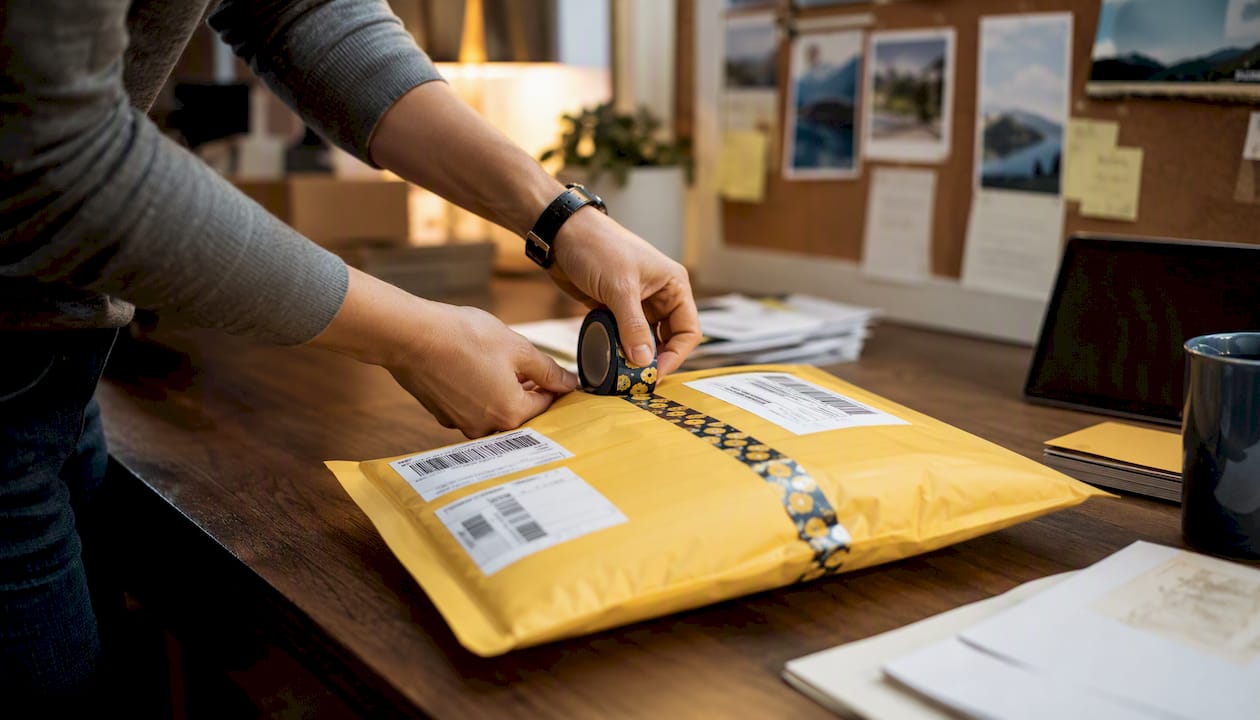
The State Department recommends using a trackable mailing service — USPS Priority Mail with tracking or a comparable carrier — so you have proof of delivery and can monitor your package. For time-sensitive renewals, sending your renewal without delays requires more than just a tracking number; packaging your documents correctly matters too.
Online Form Filler vs. PDF download: The Form Filler is the better choice for most applicants. It catches formatting errors before you print, produces legible output, and is the method the State Department explicitly encourages. Download the PDF only if the Form Filler is temporarily unavailable or if you have a specific reason to fill by hand.
Track your application after submission at Passportstatus.
Fees, processing times, and tracking your application
Government passport fees are set by the U.S. Department of State and are paid separately from any service fees. Current fee amounts are published on the State Department’s processing-time page, and you should confirm them there before submitting, as they are subject to change.
| Service Type | Typical Turnaround | Notes |
|---|---|---|
| Routine by mail | Several weeks | Check current posted window at State Dept |
| Expedited by mail | Faster than routine | Additional government fee applies |
| Agency appointment | Fastest available | For travel within ~14 days; appointment required |
The State Department advises that applicants who need to travel within approximately 14 days should seek an appointment at a regional passport agency rather than relying on mail processing. Routine and expedited windows fluctuate with application volume, so checking the posted times before you mail is not optional — it is the only way to know whether standard mail fits your timeline.
A few things to know about what happens after you submit:
- Your old passport will be returned to you, but it may arrive in a separate mailing from your new passport. This is normal and expected.
- You can check your application status at Passportstatus using your last name, date of birth, and the last four digits of your SSN.
- Fast Passport Center customers can also use the order status tracker for real-time updates on courier-assisted applications.
Common DS-82 mistakes that delay or invalidate your renewal
Most DS-82 rejections trace back to a short list of avoidable errors. Knowing them in advance is the difference between a smooth renewal and a package returned weeks later.
The most frequent mistakes:
- Double-sided printing. The State Department requires single-sided output. If your printer defaults to duplex, change that setting before you print.
- Signing before printing. The form must be signed in ink after it is printed. A pre-printed signature or a digital signature is not accepted.
- Wrong photo specifications. Photos that are too small, too large, have a colored background, show glasses, or were taken more than six months ago will cause a rejection.
- Submitting a passport issued under age 16 or more than 15 years ago. These disqualify you from DS-82 entirely. Sending the application anyway does not override the eligibility rules.
- Missing name-change documents. If your name has changed and you don’t include a certified copy of the legal document, your application will be returned.
- Including instruction pages. Mail only the completed form and attachments, not the DS-82 instruction sheets.
What to do if you catch a mistake:
If you haven’t mailed yet, reprint and correct. If you’ve already submitted and the package is returned, assess whether you still qualify for DS-82 and resubmit with the corrected materials. If the error reveals an underlying eligibility problem (wrong passport age, missing name-change proof), you’ll need to switch to DS-11 and apply in person.
Pro Tip: Before sealing your envelope, run through the DS-82 checklist one final time: single-sided print, ink signature, correct photo size, passport enclosed, name-change docs if needed. Two minutes of checking prevents weeks of delay.
Online Form Filler vs. the PDF download: which path is right for you?
Both routes produce a valid DS-82, but they are not equally reliable for every applicant.
The online Form Filler (available at eforms.state.gov and through the State Department’s passport forms page) is the method the State Department explicitly recommends. It validates your entries in real time, prevents common formatting errors, and generates a clean, machine-readable printout. For routine renewals where you have time to sit at a computer, the Form Filler is the right choice.
The downloadable PDF is the backup option. Use it when the Form Filler is temporarily unavailable, when you need to complete the form offline, or when you prefer to fill by hand. The PDF is available directly from eforms.state.gov. If you fill it by hand, write clearly in black ink and double-check every field before printing.
The practical decision comes down to this: if you have a computer and a working internet connection, use the Form Filler. It reduces the chance of a formatting rejection and produces a cleaner document. The PDF is a reliable fallback, not a preferred starting point.
When DS-82 doesn’t apply and what to do instead
If you don’t meet every DS-82 eligibility criterion, you cannot use this form regardless of how convenient it would be. The State Department’s system will catch the discrepancy, and your application will be returned.
Disqualifying situations and your next steps:
| Disqualifying Factor | Recommended Route |
|---|---|
| Passport issued under age 16 | DS-11 at an acceptance facility (post office, library, or clerk of court) |
| Passport issued more than 15 years ago | DS-11 at an acceptance facility |
| Passport lost, stolen, or mutilated | DS-11 in person; report lost/stolen passport first |
| Name changed, no certified document | DS-11 in person until you obtain certified proof |
| Cannot sign in ink | DS-11 in person with authorized representative |
| Travel within ~3 days or family emergency | Regional passport agency appointment only |
| Travel in 2–4 weeks, no nearby agency | Registered courier service (e.g., Fast Passport Center) |
For a side-by-side breakdown of when each form applies, the DS-11 vs DS-82 comparison covers the decision tree in detail.
If your travel is within three days or involves a family emergency, a regional passport agency appointment is the only realistic option. For everything between two days and four weeks out, a State Department–registered courier that hand-delivers to agencies offers a more reliable path than standard mail, particularly for applicants who live more than two hours from the nearest agency.
How to get your passport faster: expedited mail, agency appointments, and couriers
When time is the constraint, the submission method matters as much as the form itself. The State Department’s processing-time guidance identifies three practical tiers:
- Routine by mail: Appropriate when your travel is several weeks or more out and the current posted window fits your timeline. The lowest-cost option, but the least predictable.
- Expedited by mail: Pay the additional government expedite fee and your application moves to a faster processing queue. Still subject to mail transit time on both ends.
- Regional passport agency appointment: For travel within approximately 14 days. You must have proof of imminent travel to book an appointment. This is the fastest government-direct option, but appointments can be difficult to secure on short notice.
- State Department–registered courier: For travelers with 2–4 weeks until departure, or for anyone living far from a regional agency. A registered courier hand-delivers your completed application directly to a passport agency, bypassing standard mail routing entirely.
Cities like Tampa, Charlotte, Sacramento, Nashville, and Louisville don’t have regional passport agencies. Residents there who need a passport faster than routine mail allows have one practical option: a registered courier that can physically deliver to the nearest agency on their behalf.
Pro Tip: Don’t wait until you’re within 14 days to act. The 2–4 week window is where a courier gives you the most flexibility. Once you’re inside two weeks, your options narrow fast and agency appointments become harder to secure.
For a detailed look at how courier-assisted processing compares to standard mail, the passport renewal by mail vs. courier guide lays out the tradeoffs clearly.
What real DS-82 cases look like from the inside
Most passport renewal problems don’t start with a complicated eligibility question. They start with a traveler who assumed their passport was fine, checked it two weeks before a trip, and discovered it expired three months ago. That scenario is far more common than it should be, and it’s exactly the situation where the difference between a courier and standard mail becomes concrete.
The DS-82 process itself is well-designed for eligible applicants. The form is clear, the Form Filler reduces errors, and the State Department’s instructions are thorough. Where things go wrong is almost always in the preparation: a missed name-change document, a photo taken on a phone with a patterned background, or a printer that defaulted to duplex output. These are fixable problems, but they cost time.
Fast Passport Center’s team handles these cases daily across 24 cities. The pattern is consistent: applicants who use a checklist and the Form Filler rarely have packages returned. Those who rush, skip the instructions, or assume their photo from two years ago will pass are the ones calling for help after a rejection.
Fast Passport Center handles DS-82 renewals when your timeline is tight
When you’re renewing a passport with two to four weeks until travel, standard mail is a gamble. Fast Passport Center is the registered State Department courier that removes that uncertainty. As a passport expediting service with over 20 years of experience and drop-off offices in 24 cities, Fast Passport Center hand-delivers completed applications directly to passport agencies, bypasses standard mail queues, and provides real-time order tracking from submission to delivery.
The service covers document review before submission, so formatting errors and missing attachments are caught before they cause a rejection. For travelers in cities without a nearby regional agency, including Tampa, Charlotte, Sacramento, Nashville, and Louisville, this is the practical alternative to hoping the mail moves fast enough. If your travel is 4+ weeks out, USPS routine mail is a reasonable choice. If it’s within 2–4 weeks, start your renewal with Fast Passport Center and know exactly where your application stands.
Official pages and forms to bookmark
These are the primary U.S. Department of State resources you’ll need to complete your DS-82 renewal:
- DS-82 PDF: Download the official renewal application form, including Section A eligibility, Section B process steps, and Section E mailing instructions.
- State Department Form Filler: Fill out DS-82 online to reduce formatting errors, then print and sign the completed form.
- Passport Forms page: The State Department’s central forms index, with links to DS-82, DS-11, and the Form Filler portal.
- Passport Status Tracker: Check your application status after submission using your last name, date of birth, and the last four digits of your SSN.
- Processing Times: Current routine and expedited processing windows, updated regularly by the State Department.
- Usa: A neutral third-party overview of the DS-82 renewal process with links to official State Department resources.
Sources
- Renew Your Passport by Mail – Travel – State Department
- U.S. PASSPORT RENEWAL APPLICATION FOR ELIGIBLE INDIVIDUALS
- Passport Forms – Travel – State Department
- Get Your Processing Time – Travel – State Department
FAQ
What is Form DS-82 used for?
Form DS-82 is the U.S. Department of State’s application for passport renewal by mail or online, available to eligible adult citizens whose current passport was issued at age 16 or older and within the last 15 years.
How much does DS-82 passport renewal cost?
Government passport fees are set by the State Department and are subject to change; check the current fee schedule on the State Department processing-time page before submitting your application.
How long does DS-82 processing take?
Routine processing takes several weeks and expedited service is faster, but exact windows fluctuate with application volume. Applicants who need to travel within approximately 14 days should seek a regional passport agency appointment rather than relying on mail.
Do I need DS-82 to renew my passport?
Yes, if you meet all five eligibility criteria (age 16+ at issuance, issued within 15 years, current name, undamaged, able to sign). If you don’t qualify, you must use Form DS-11 and apply in person.
What are the most common DS-82 mistakes?
The most frequent errors are double-sided printing, signing the form before printing, submitting a non-compliant photo, and omitting certified name-change documents when your name has changed since the passport was issued.